“Who is on site today?”
Attendance lives in notebooks and WhatsApp messages. You find out who was absent when the month is already over.
Business management system
Keelsum brings HR records, attendance, leave, payroll, accounting, safety compliance and hiring into a single system, and it is installed on your own hosting, so your data never leaves your control.
Installed on your serverWorks on any phoneAccounting built in
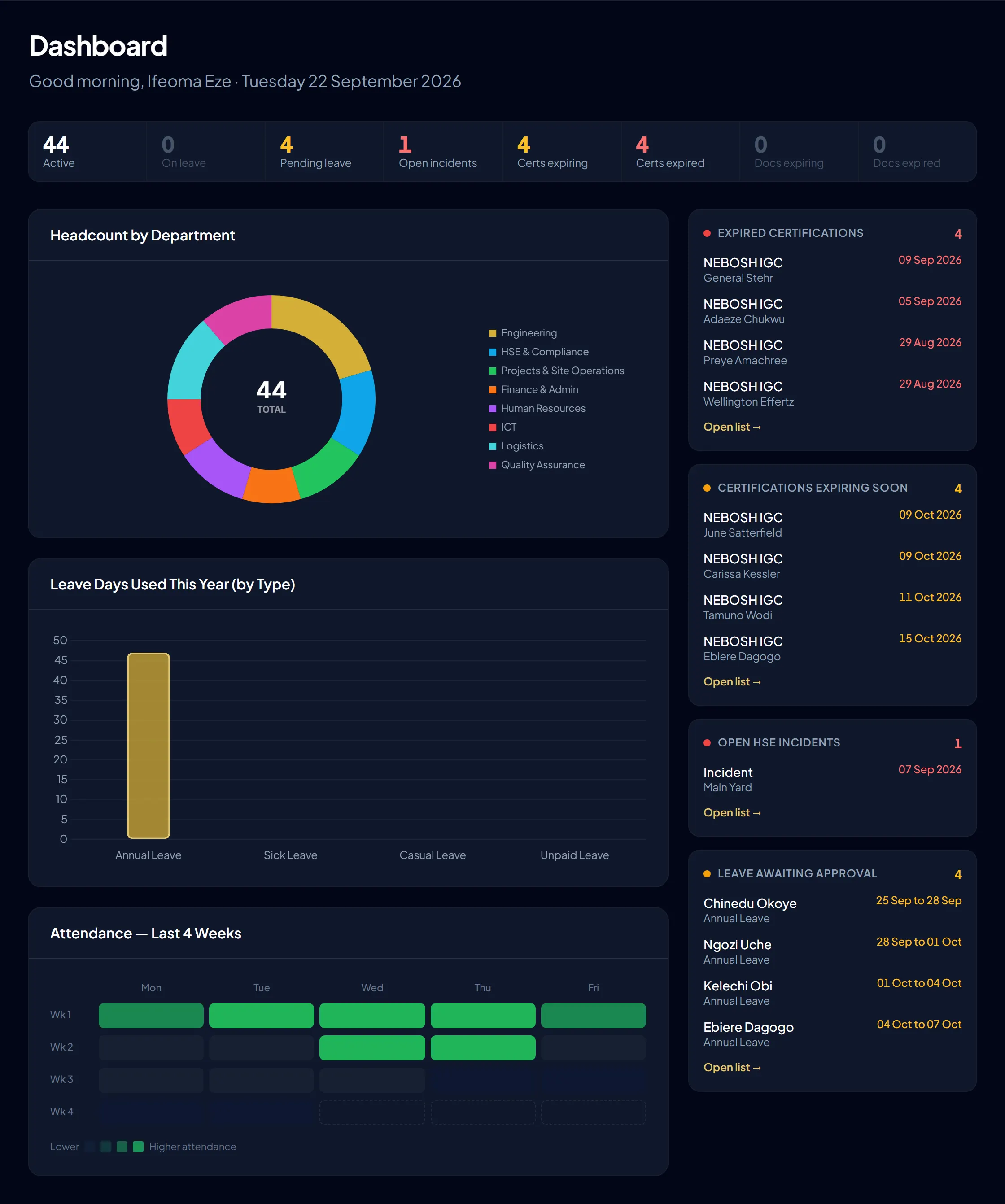
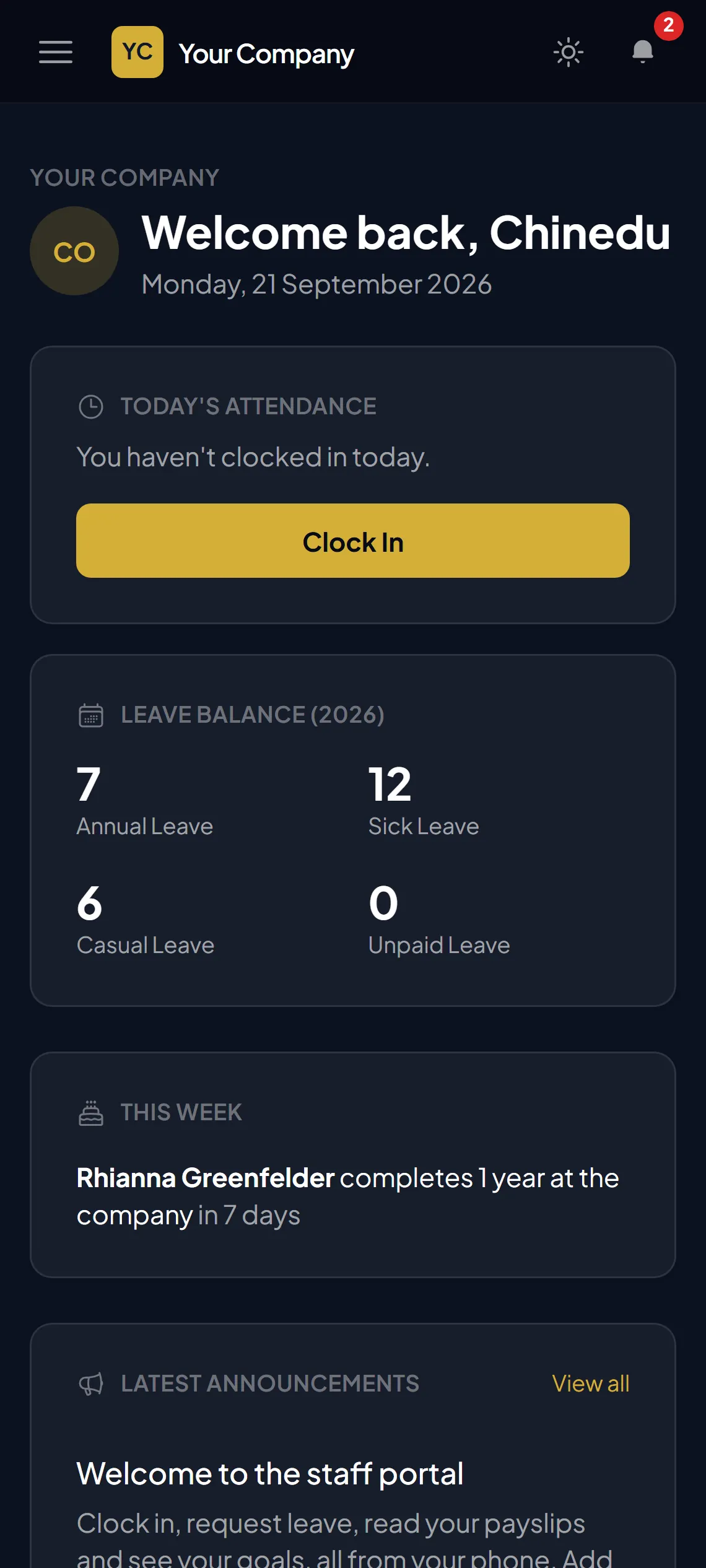 Interactive — scroll to explore, or click for the full demoInteractive — scroll to explore, or tap for the full demo
Installed on hosting you own or control.
Tax, pension, loans and payslips, with rates you set. Ready for PAYE, pension and NHF in Nigeria.
Site check-in by GPS or QR code, even offline.
HR, managers, staff and your accountant, each with their own view.
The problem
Most growing companies run people operations on a mix of spreadsheets, paper files, WhatsApp groups and memory. It works, until it doesn't.
Attendance lives in notebooks and WhatsApp messages. You find out who was absent when the month is already over.
A safety certificate lapses and nobody notices until a client audit, or an incident.
Tax bands, pension, loan repayments and unpaid leave calculated by hand, then checked by hand, then argued about.
Requests get lost. Managers approve things they cannot see. Nobody knows who is covering while the manager is away.
Contracts, IDs and bank details spread across cupboards, laptops and inboxes. One resignation, and it is a scramble.
Cloud HR tools keep your staff records, salaries and IDs on a vendor’s platform, under their rules and their pricing changes.
You do not need more tools. You need one system that already fits how you work.
The solution
From the day someone applies to the day they leave, everything about them is in one place, and everything that needs doing gets done. Follow one person, Ngozi, from the day she applies to the day she leaves. Press Next when you are ready, or just watch.
Ngozi Uche
IT Support Officer
Everything that happened to Ngozi, from her offer to her exit, sat in one place, and most of it happened without anyone having to remember.
Features
Complete enough to replace your spreadsheets, simple enough that people actually use it.
People, attendance, leave, payroll, safety, hiring, performance and events, connected.
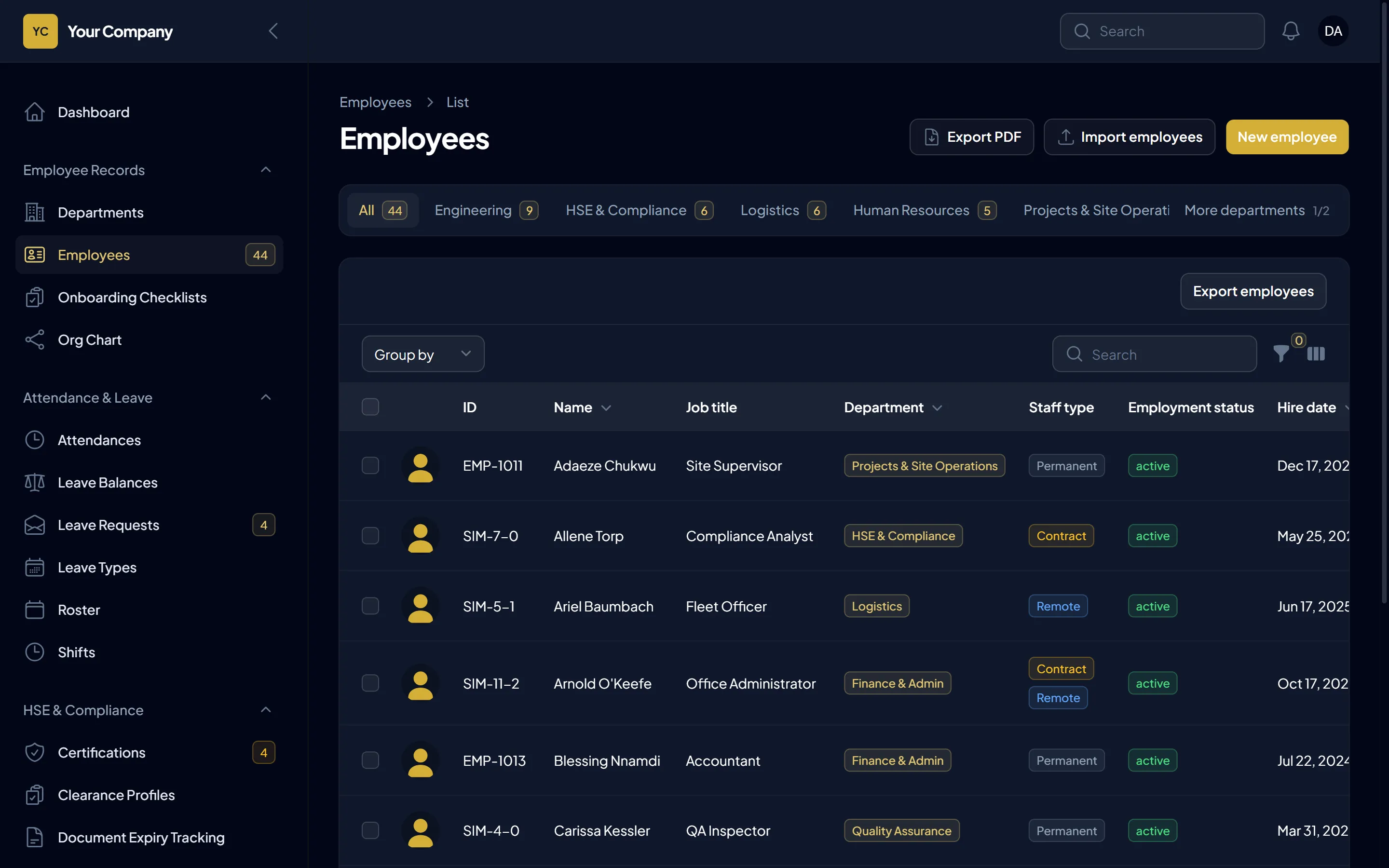
Profiles, departments, reporting lines, an organisation chart, contract and remote staff, nationality and next of kin, as cards or a table, with a quick look at anyone without leaving the list. Keelsum shows what each record is missing and asks the person to fill it in, in one click. Every photo is checked against passport-photo rules, so you know it will do for an ID card. Import your staff sheet in minutes, and export to Excel or PDF.
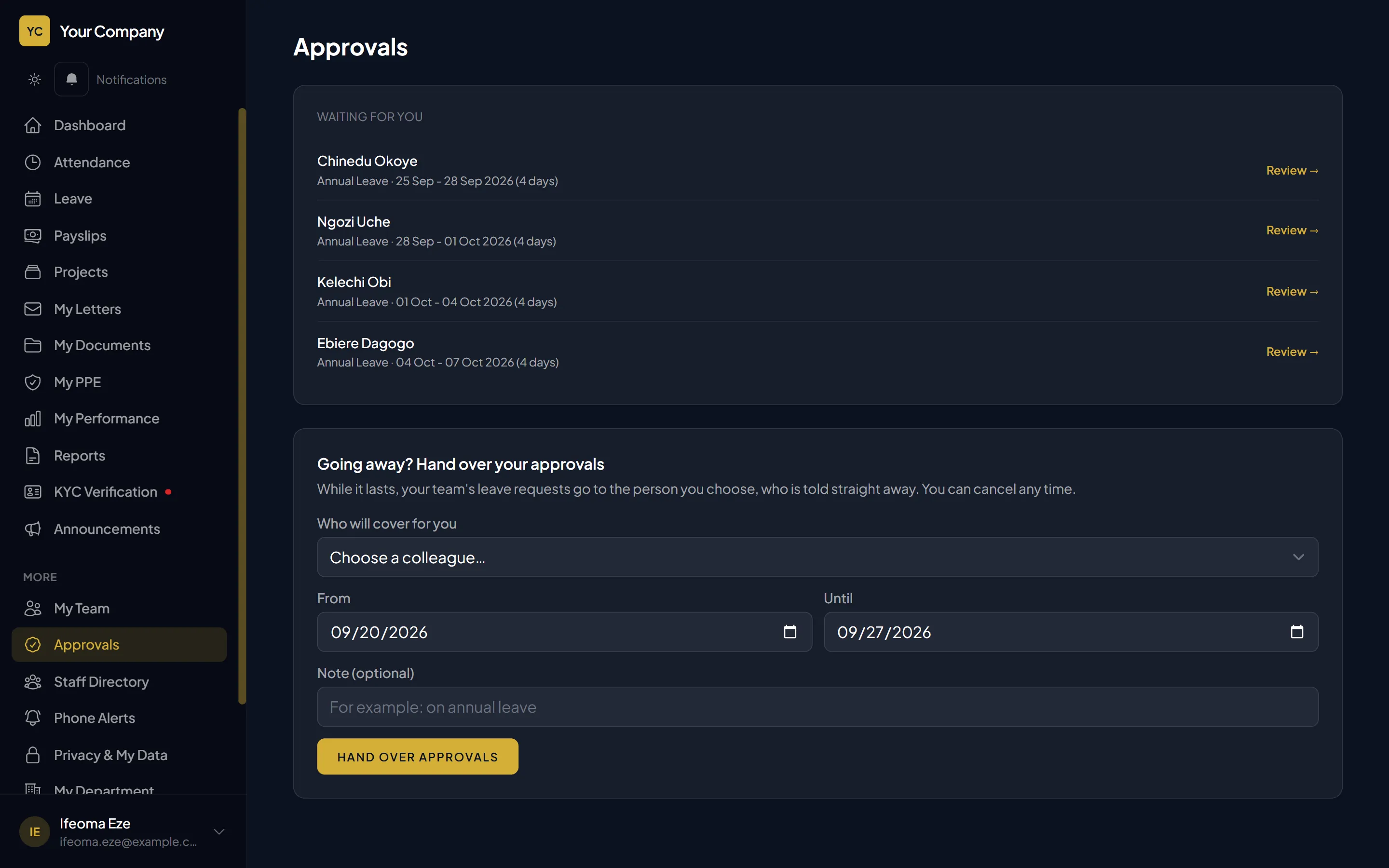
Staff request from their phone; managers approve; HR gives final sign-off when needed. Hand over approvals to a colleague while you are away, and the system tells them.
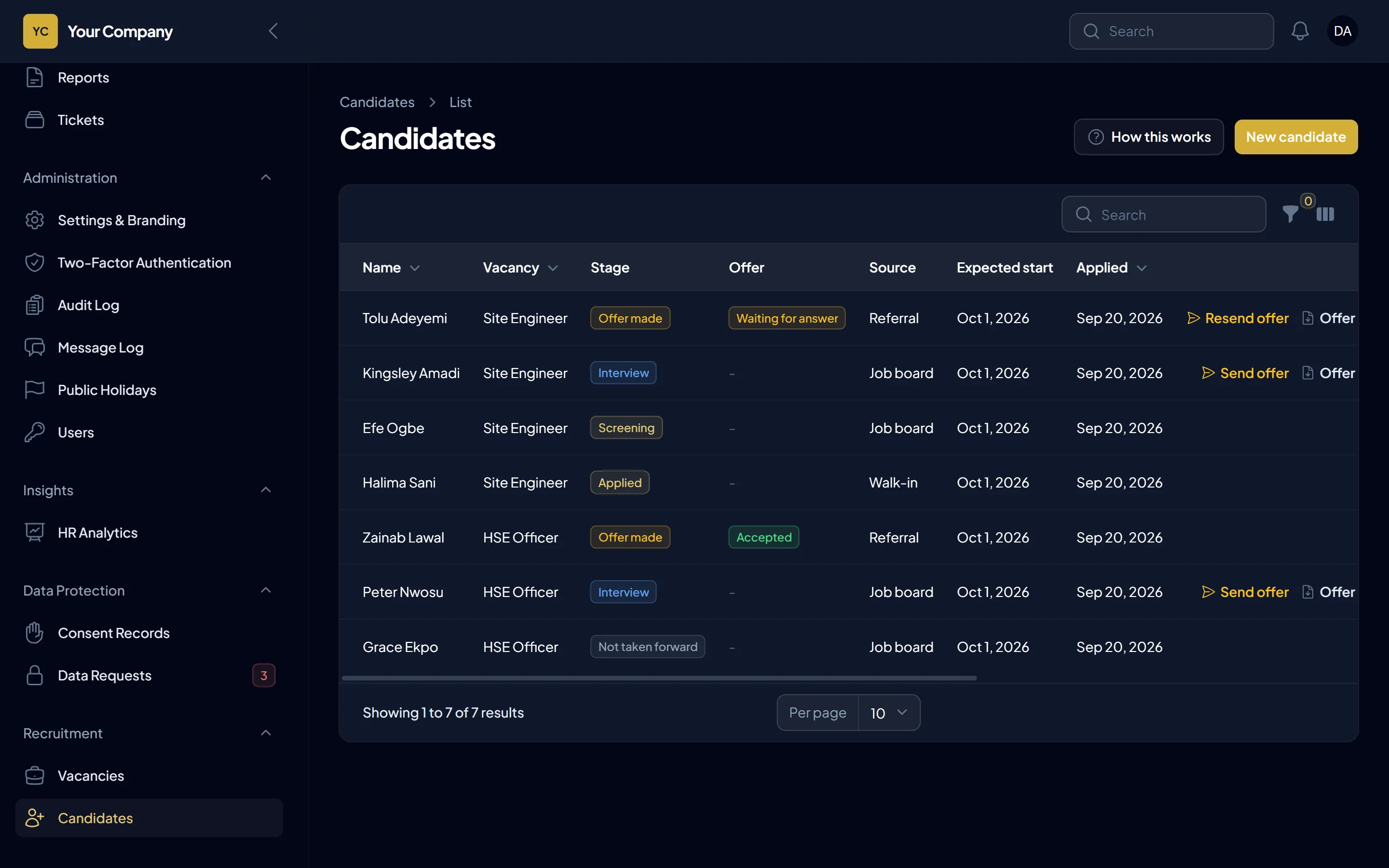
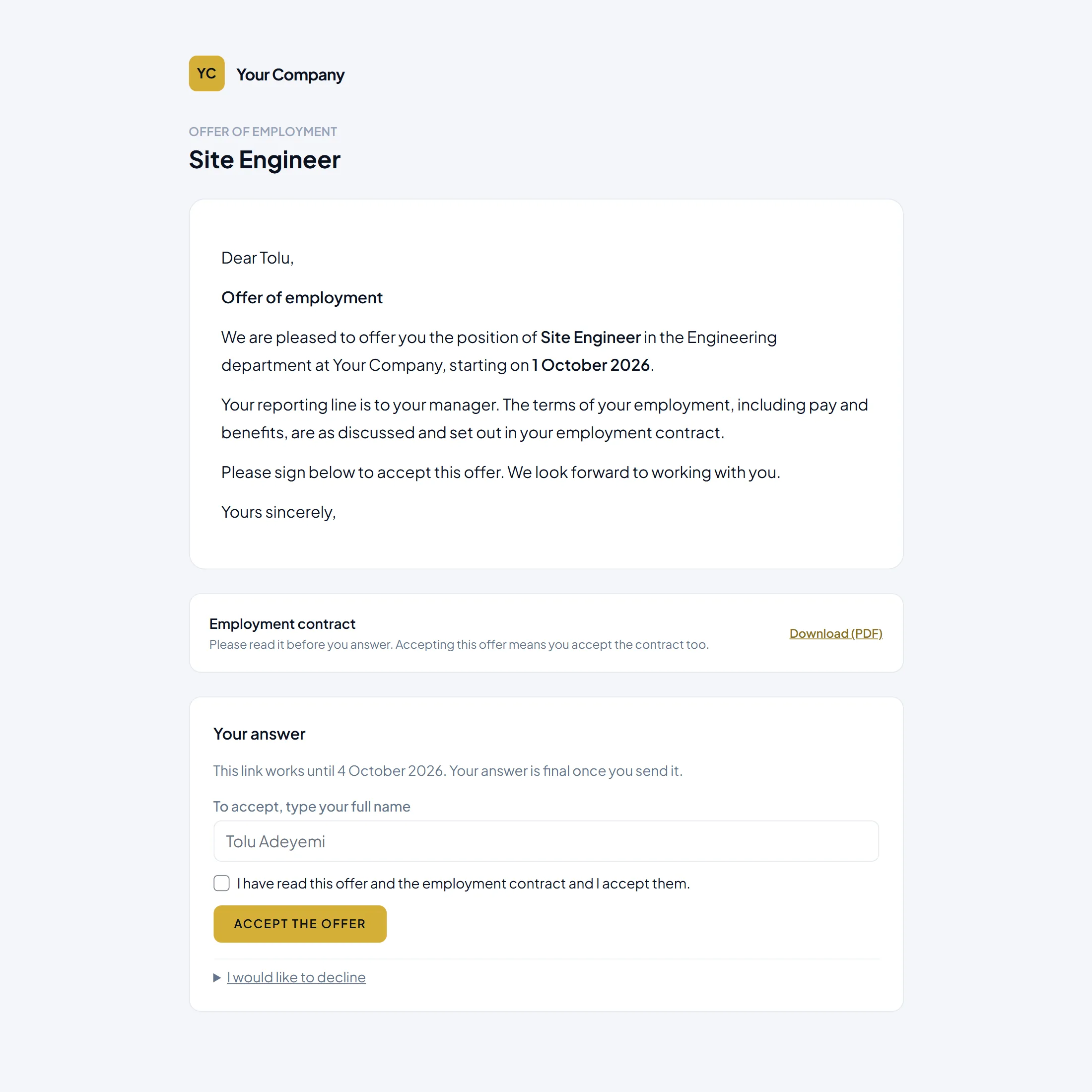
Post a vacancy, move candidates through screening and interview, send an offer with the contract attached, and let the candidate accept from a private link. Hire them, and their record and onboarding checklist are created for you.
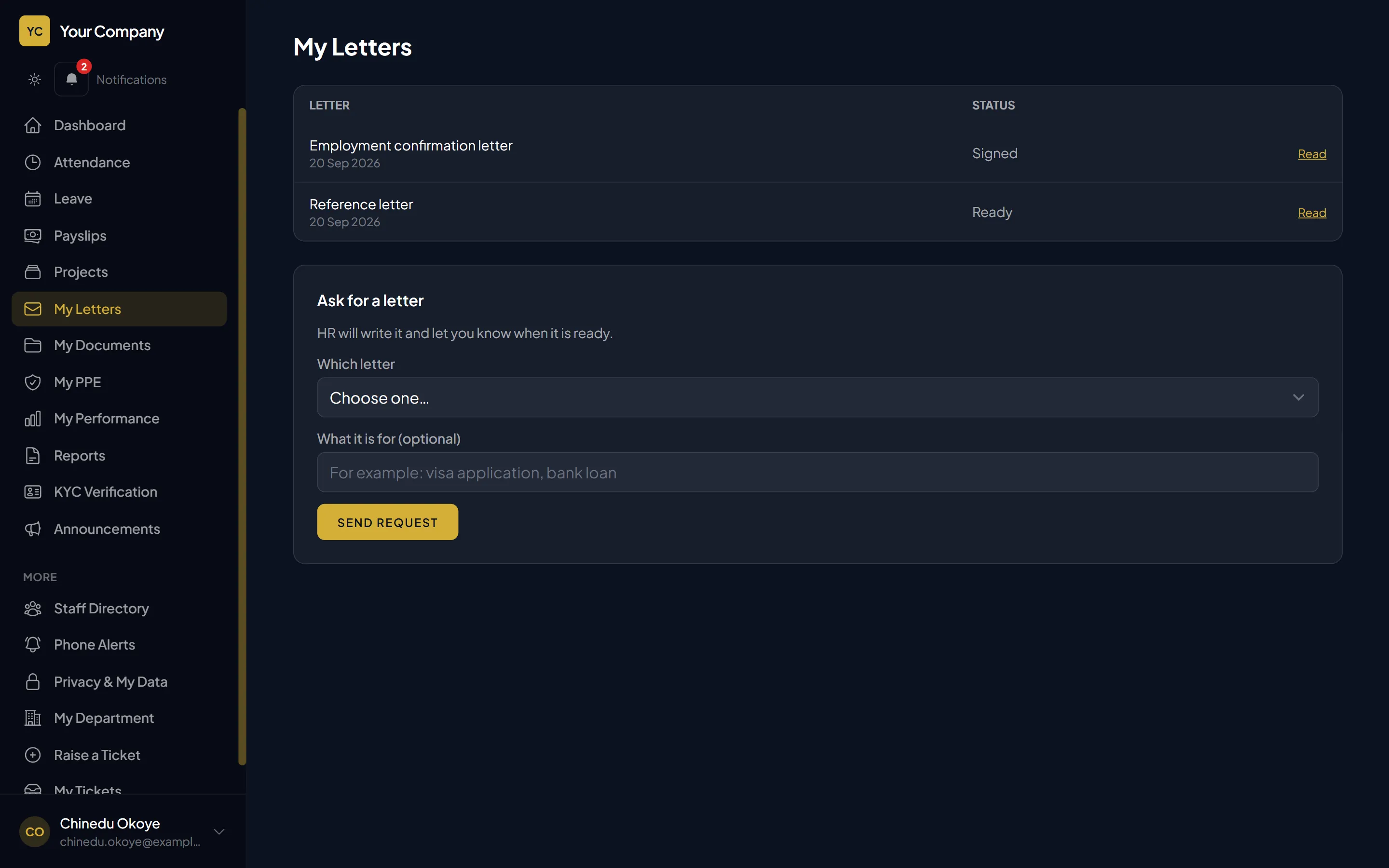
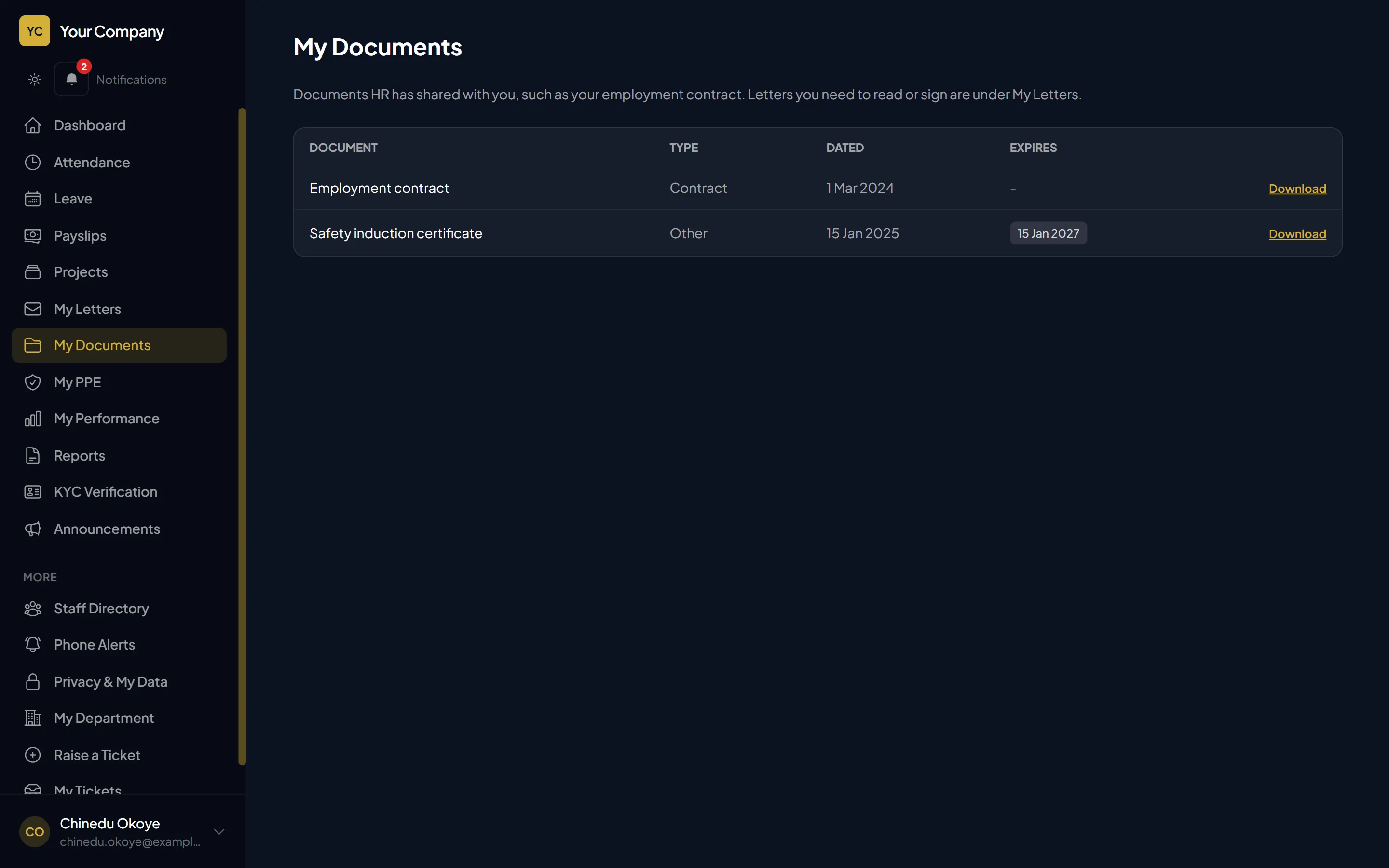
Employment confirmation, reference and warning letters from templates. Staff can request one, read it, and confirm it in the portal. Share a contract or document with the employee when you choose.
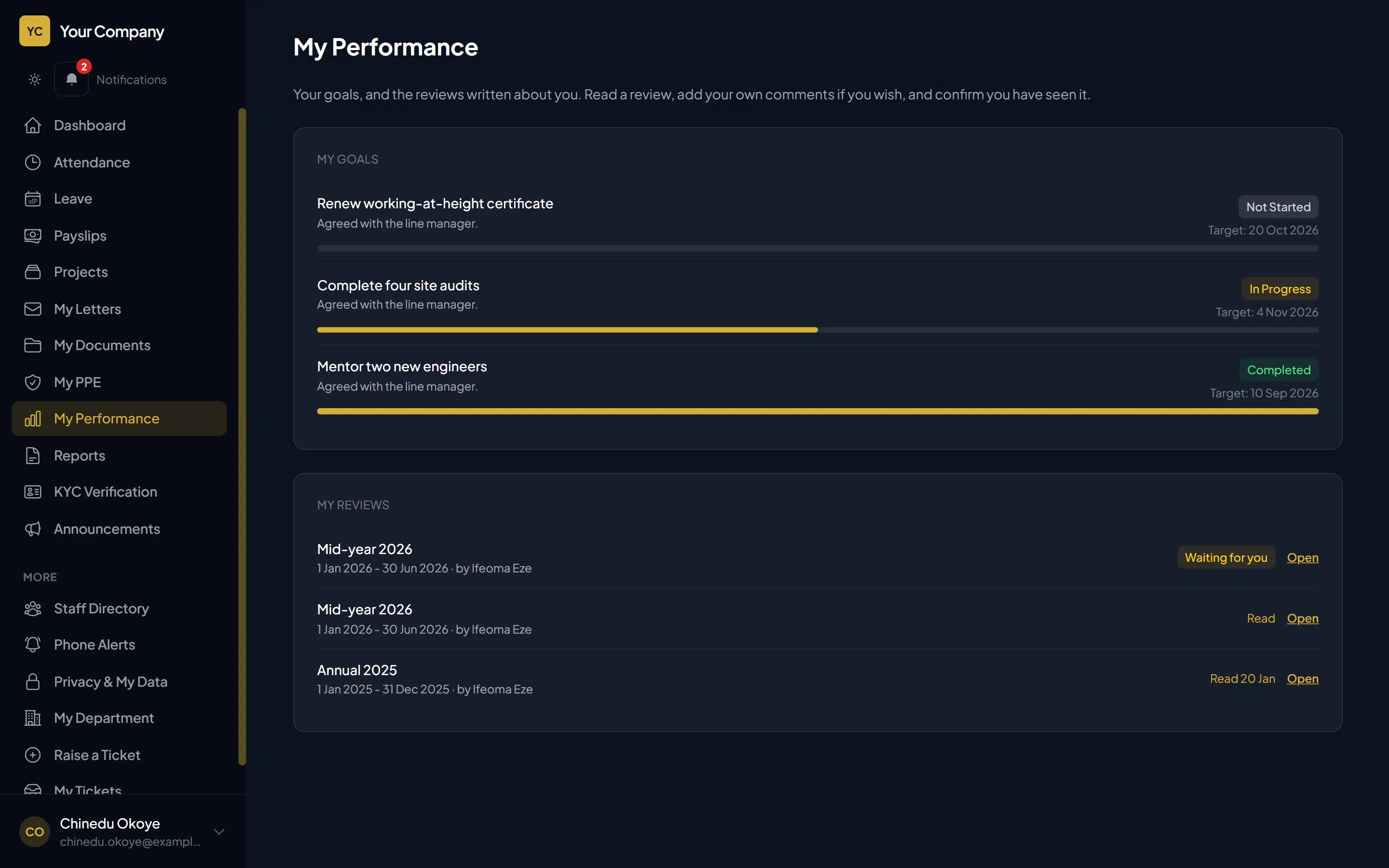
Set goals, write reviews, and let staff read their review, add comments and confirm they have seen it. Keep disciplinary records in the right place.
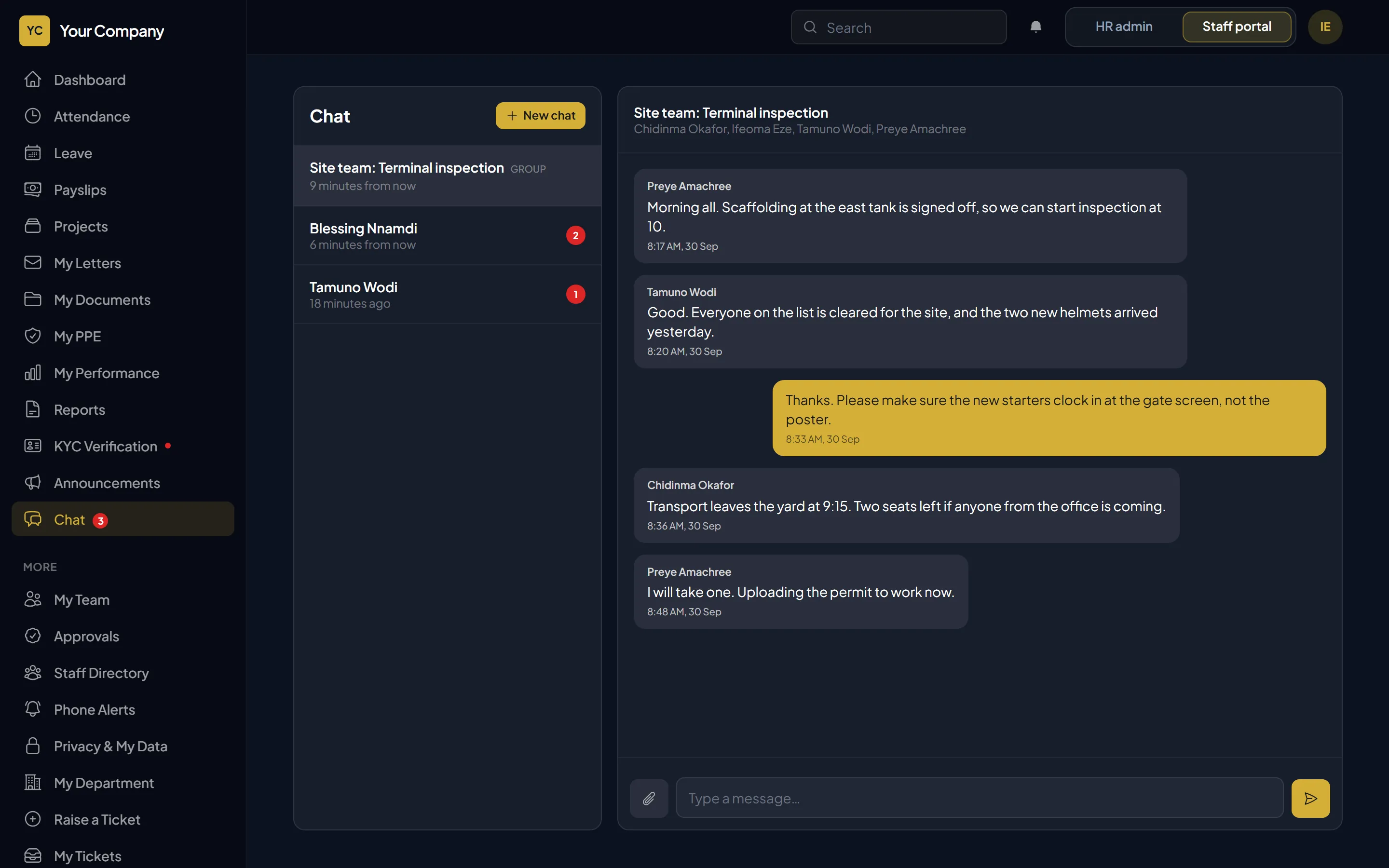
Staff message each other one to one or in groups, reply to a message, react with an emoji and share files, inside the system. Read ticks show when a message has been seen. A message sent on a weak signal waits on the phone and arrives by itself, exactly once. A message can be corrected for a few minutes, but HR still sees what was first written, so there is a complete record if a complaint ever needs looking into.
Your ICT team schedules trainings, workshops, meetings and notices of IT downtime, for everyone or for chosen departments. HR approves or rejects each one before staff see it. Once approved, the right people are told, and they tap “I’m going” so the organiser knows how many to expect.
Training to approve: Cyber security awareness, Friday at 10:00. Approve or reject it.
New training: Excel for reports, Tuesday at 2:00 PM in the conference room. Tap to say you are going.
Approved by HR. 18 people are going.
Clock-in by location, clearance to work, PPE, phones first.
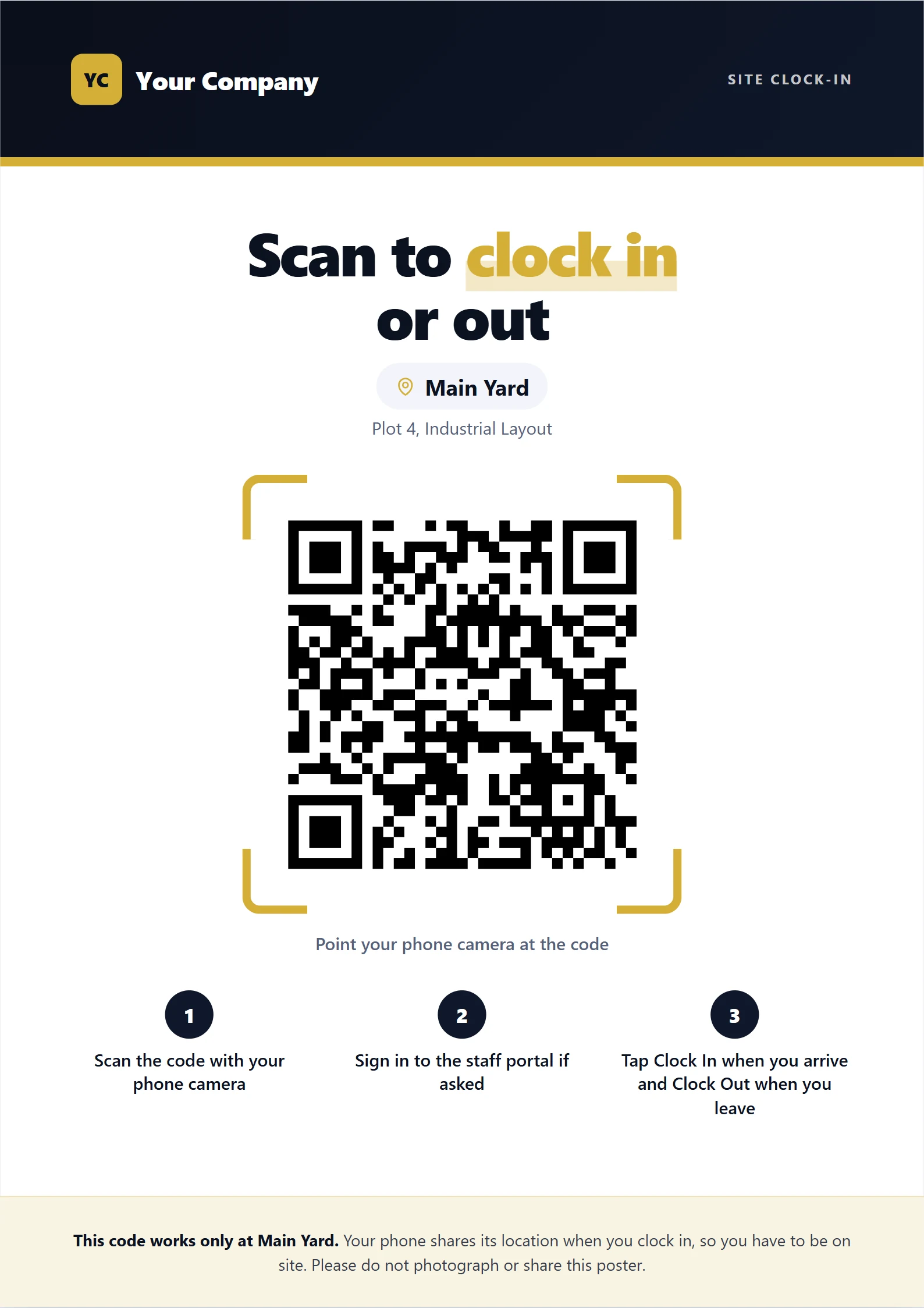
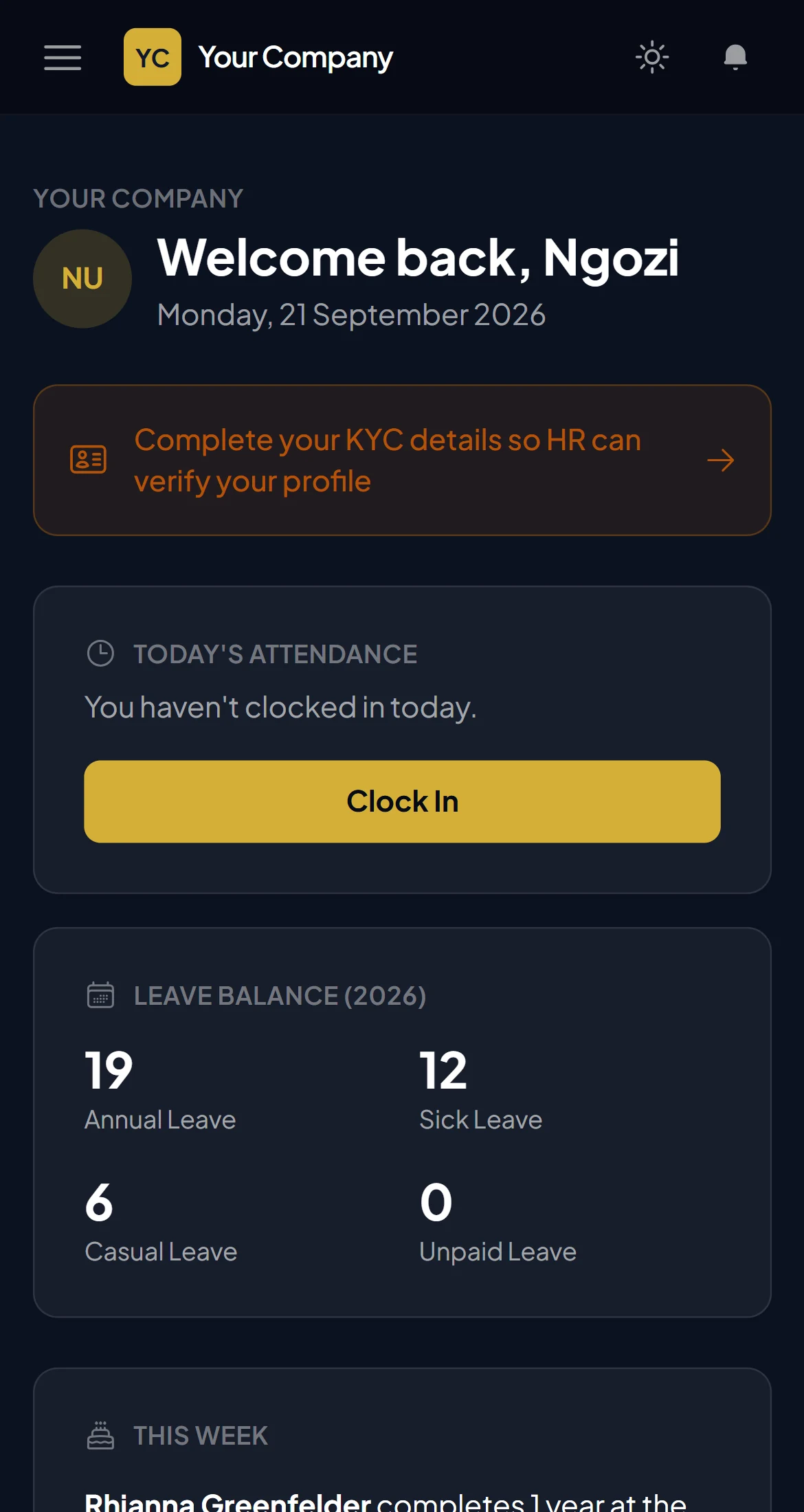
Staff clock in from their phone; the system checks the phone is actually at the site, by GPS or by scanning the QR poster at the gate (the location is checked either way). HR chooses which of these ways staff may use. Late arrivals and overtime are worked out from the shift, and phones without signal can save a clock-in for HR to confirm later.
Plan who works where and when. Day and night shifts, grace periods and overtime rules, all set once.
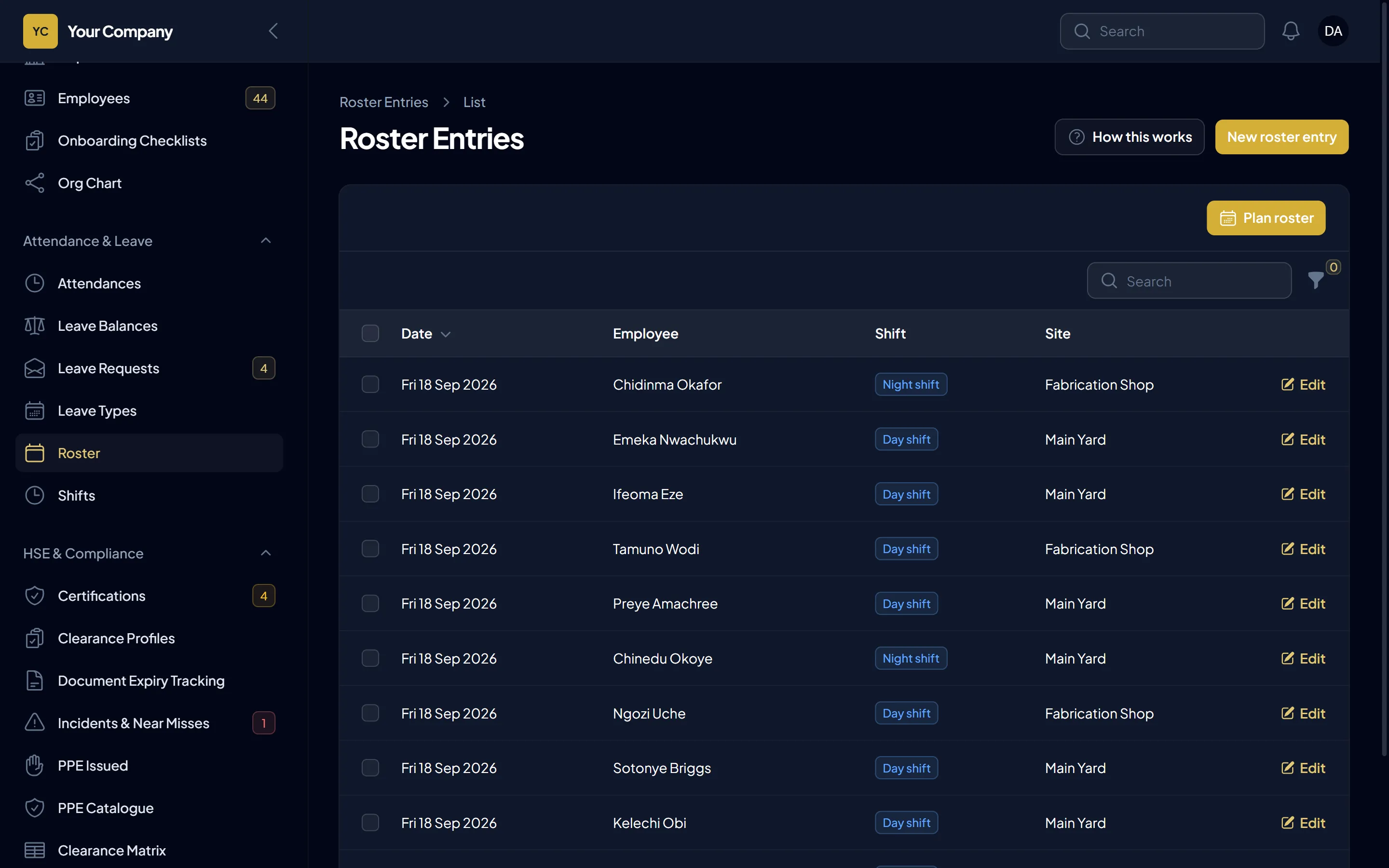
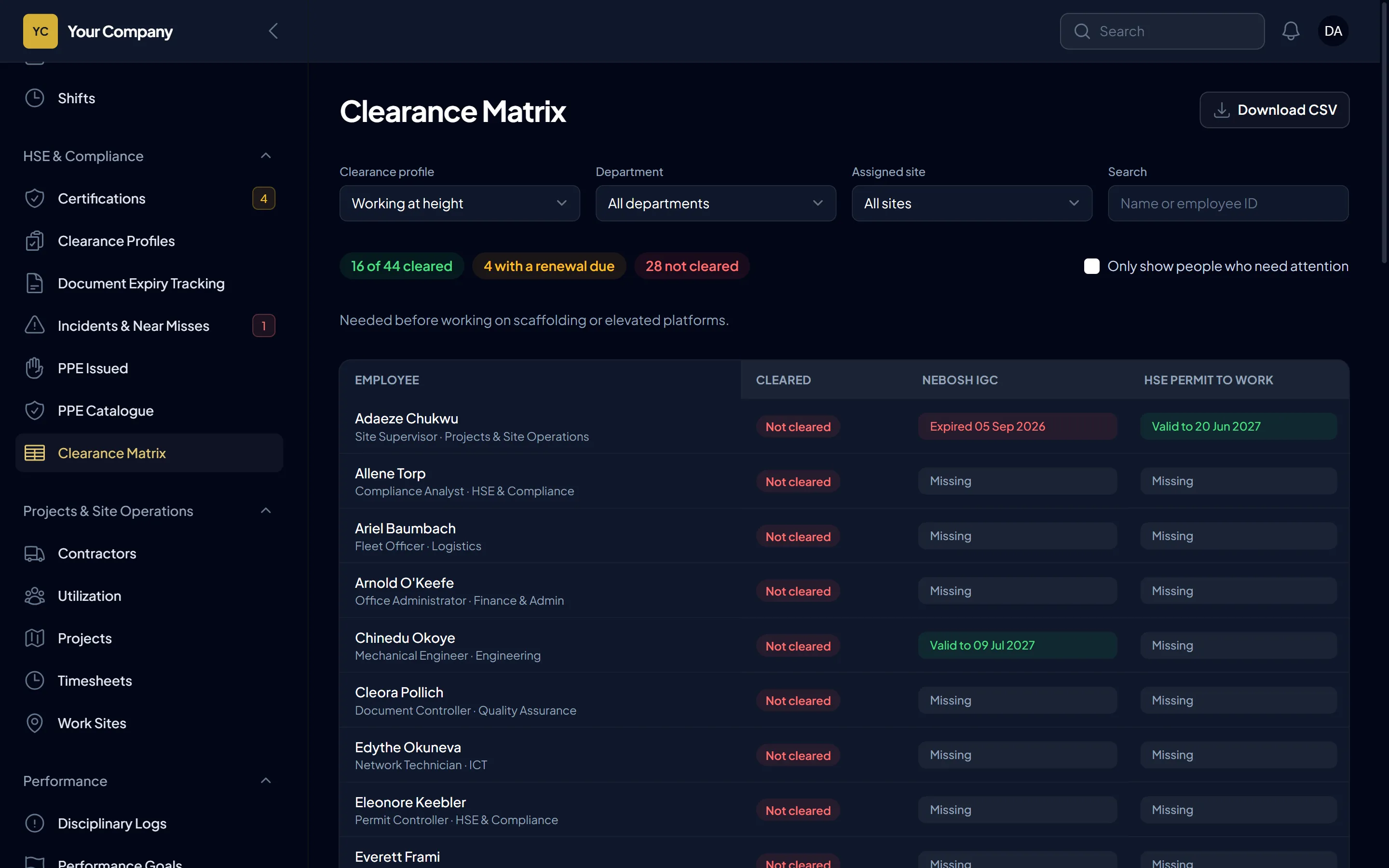
Define which certificates each site or role needs. A live matrix shows who is cleared, who is about to expire and who is not cleared, before anyone is sent to site.
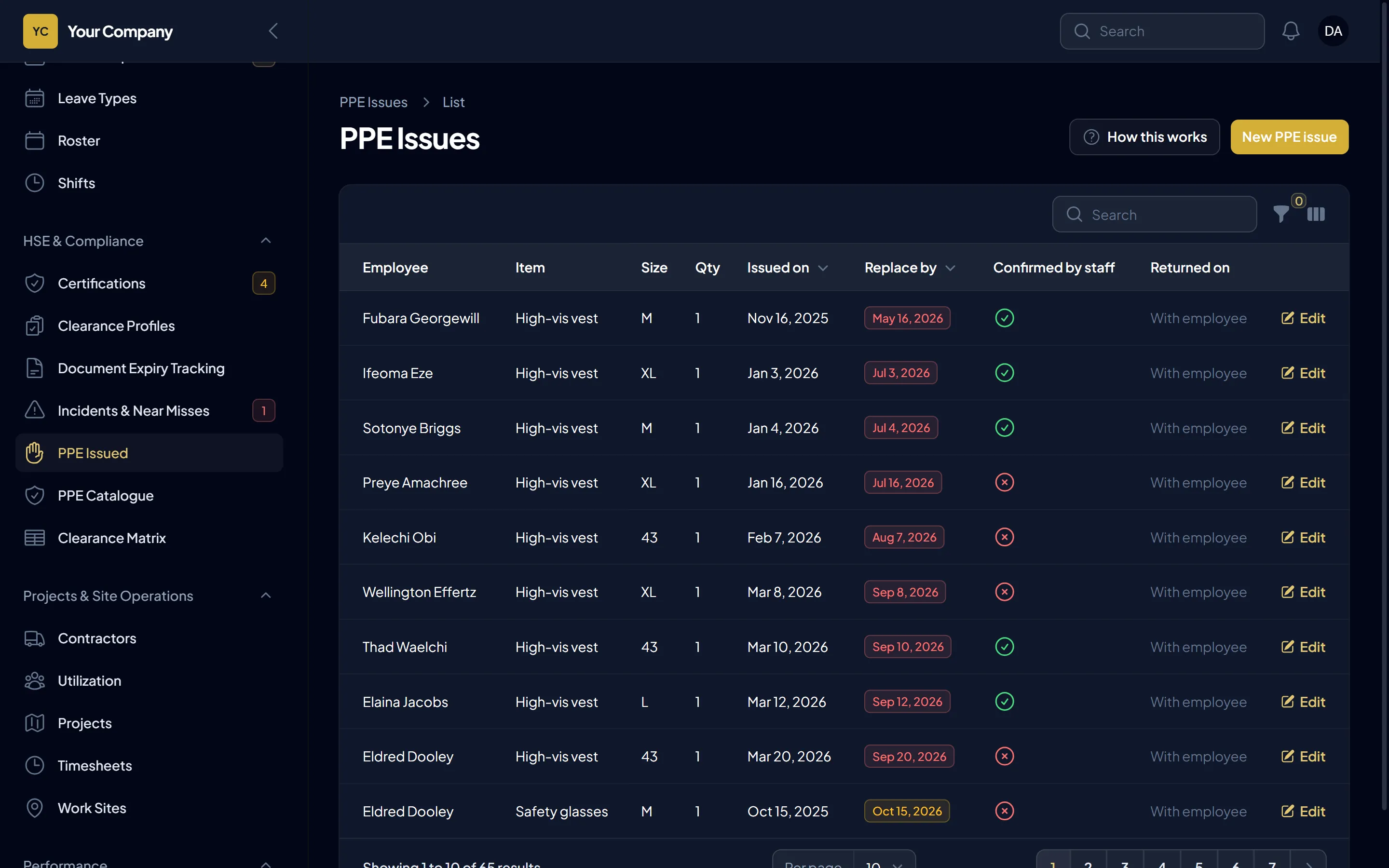
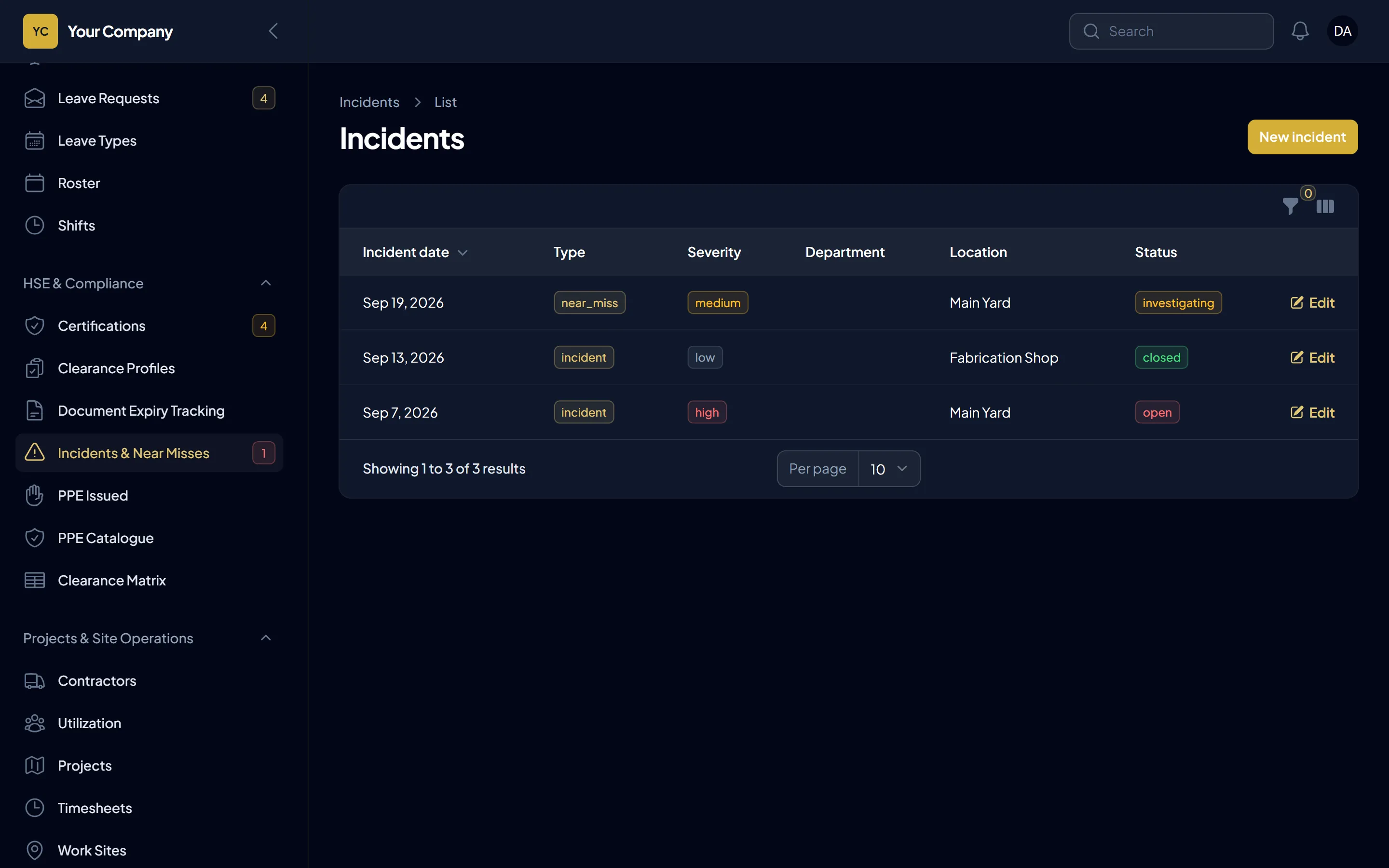
Track PPE issued to each person and when it is due for replacement. Staff confirm they received it. Log incidents and follow them to close.
Certificates, personal documents, PPE and contracts warn the person, their manager and HR at 60, 30 and 7 days, and again on the day.
Your safety certificate expires in 30 days. Please renew it and give the new certificate to HR.
Two people in your team have certificates that expire this week.
A contractor’s insurance certificate expires today.
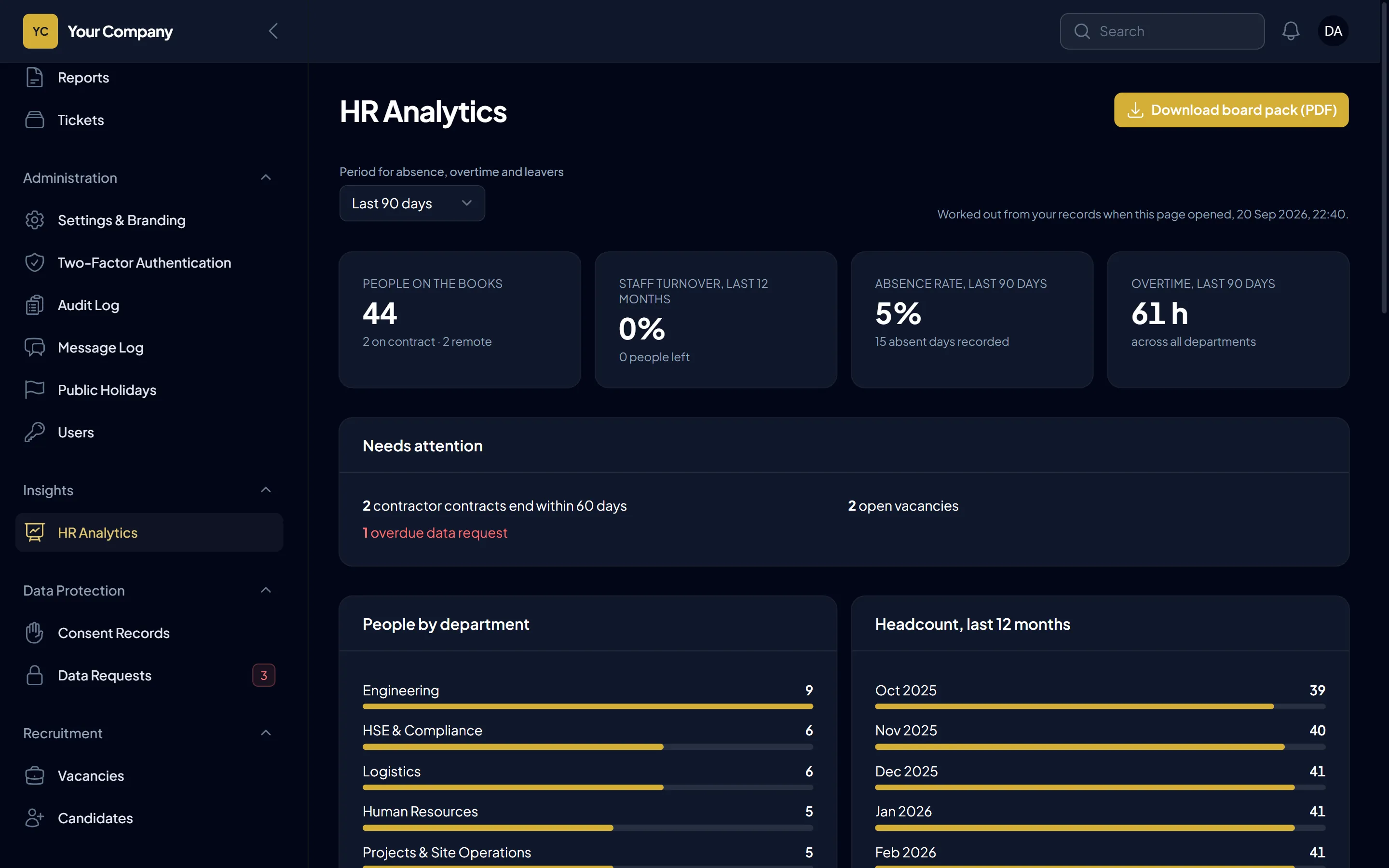
Keep subcontractor companies, contract end dates and the certificates they must hold, with renewal alerts.
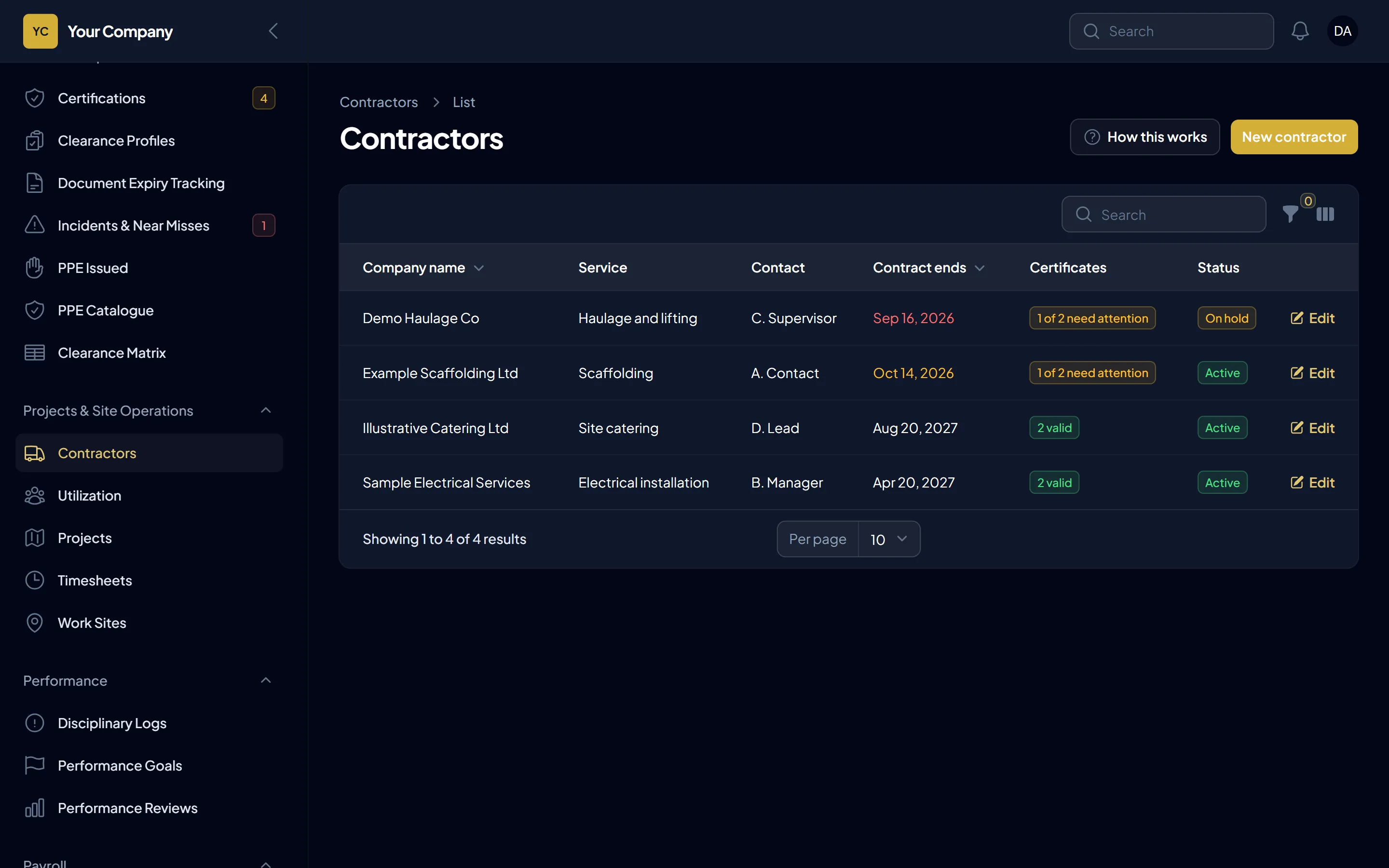
Payroll you can check, books that balance, numbers you can present, data you can stand behind.
Income tax by band or a flat rate, pension and other statutory deductions, employer contributions, staff loans and advances, unpaid leave and (if you choose) absence deductions. It comes ready for Nigeria’s PAYE, pension, NHF and NSITF, and the rates can be set for any other country. Your accountant sets and confirms the rates. Payslips as PDF, and a bank payment schedule for your bank’s bulk upload.
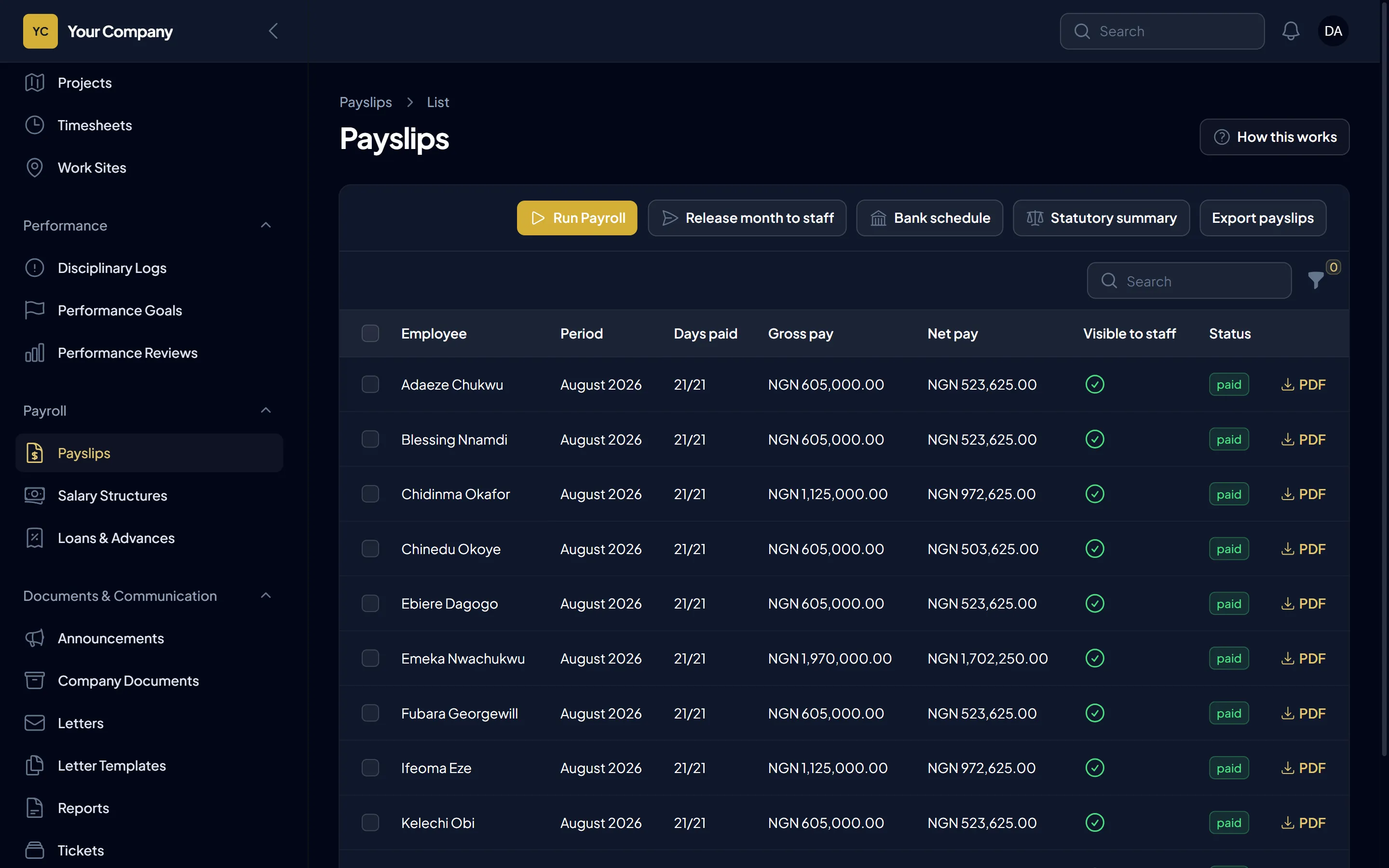
Chart of accounts, journal entries and a general ledger. Invoices to customers with VAT, sent as PDF by email, and supplier bills with the scan attached, each with payments tracked. Profit & Loss, Balance Sheet and Trial Balance on an accrual or cash basis, as PDF or CSV. When payroll is marked paid, it posts to the books by itself, employer pension, NSITF and ITF included.
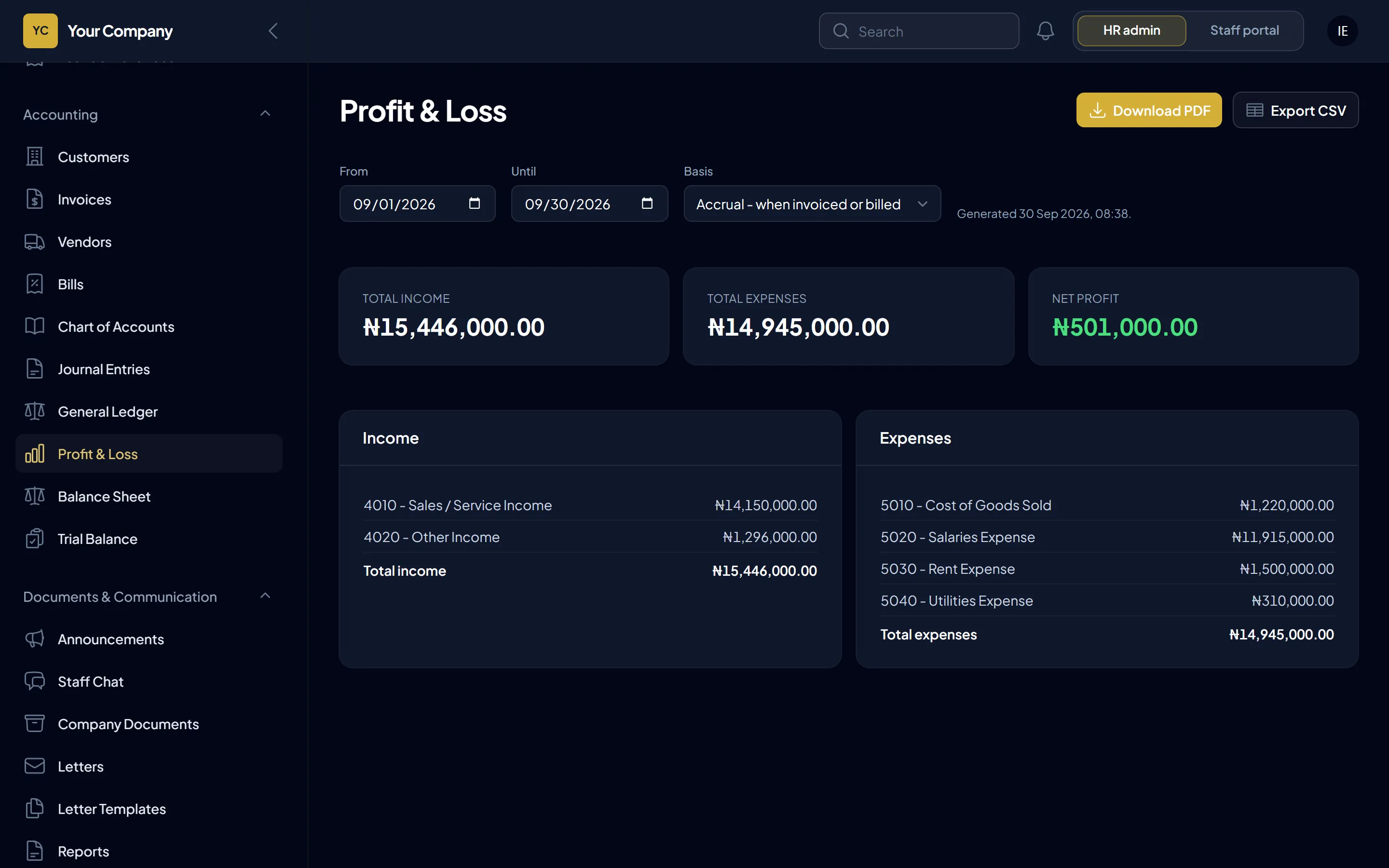
Headcount, turnover, absence by department and site, overtime, payroll cost, and how many people are cleared to work. Download a board pack as PDF.
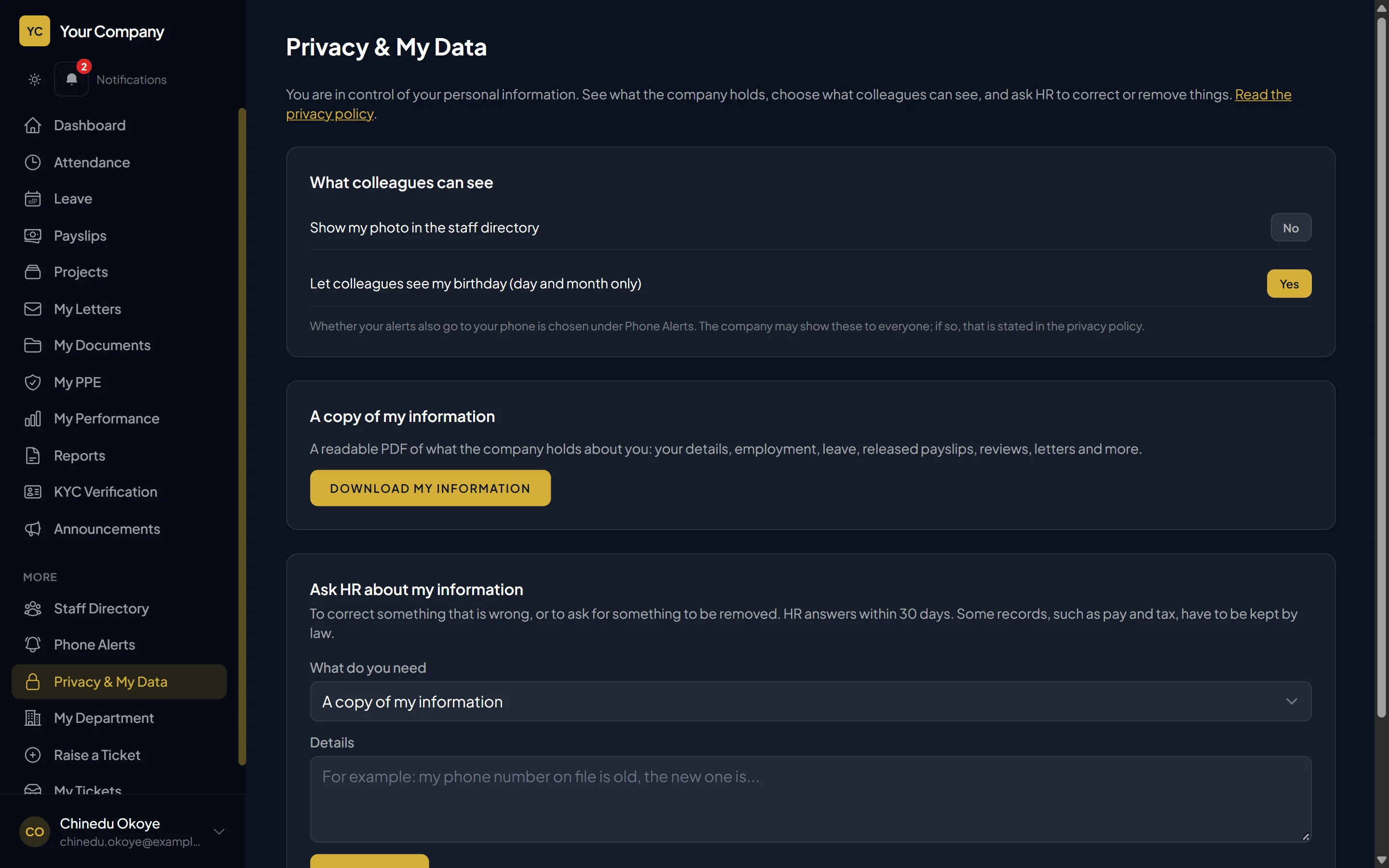
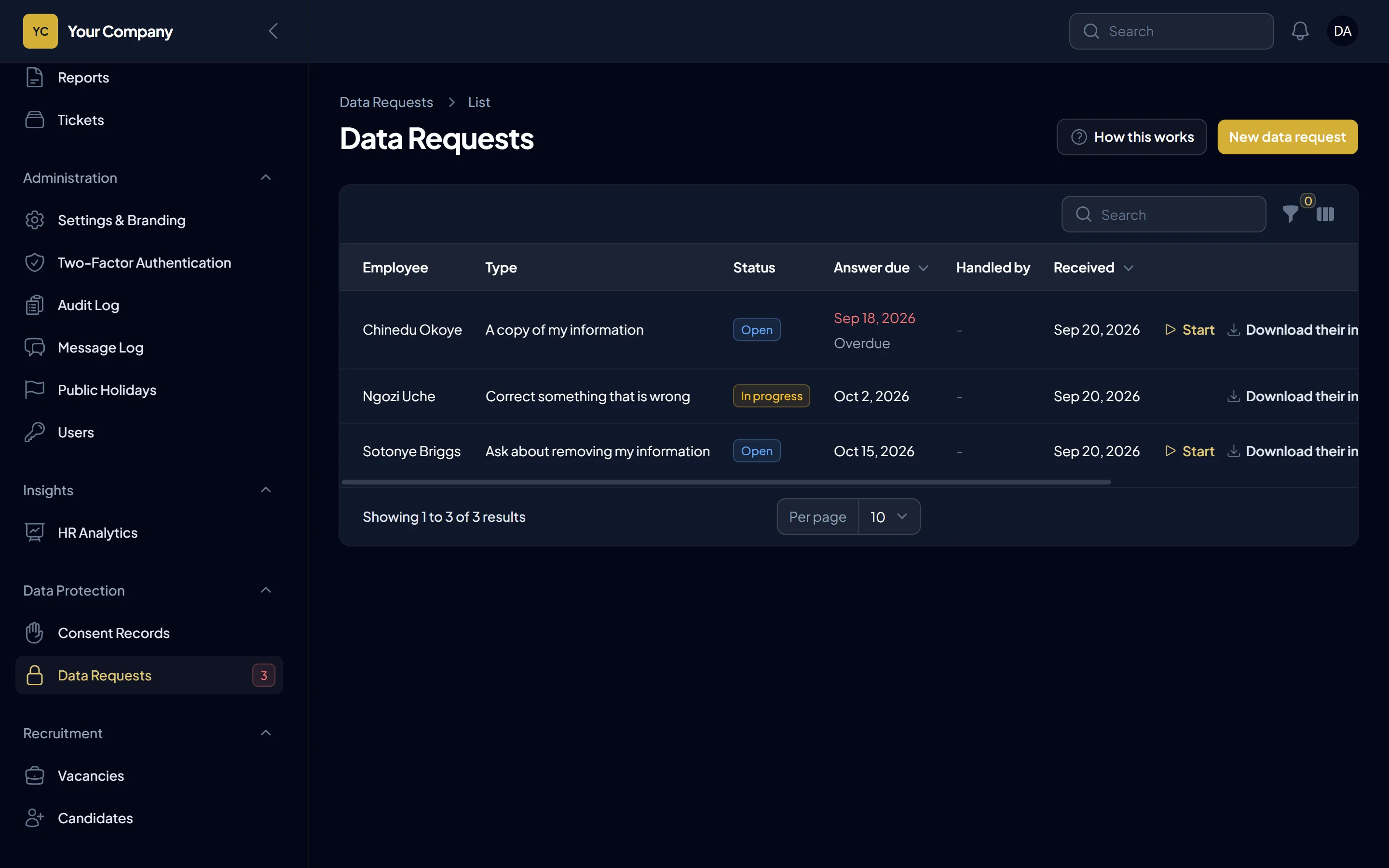
Staff can see and download what the company holds about them, and ask for corrections. HR handles requests with deadlines. Each person chooses what colleagues may see, such as their birthday or photo, and what they want to see themselves. Consent records, retention rules and the ability to erase a leaver’s personal details, while keeping the records you must keep.
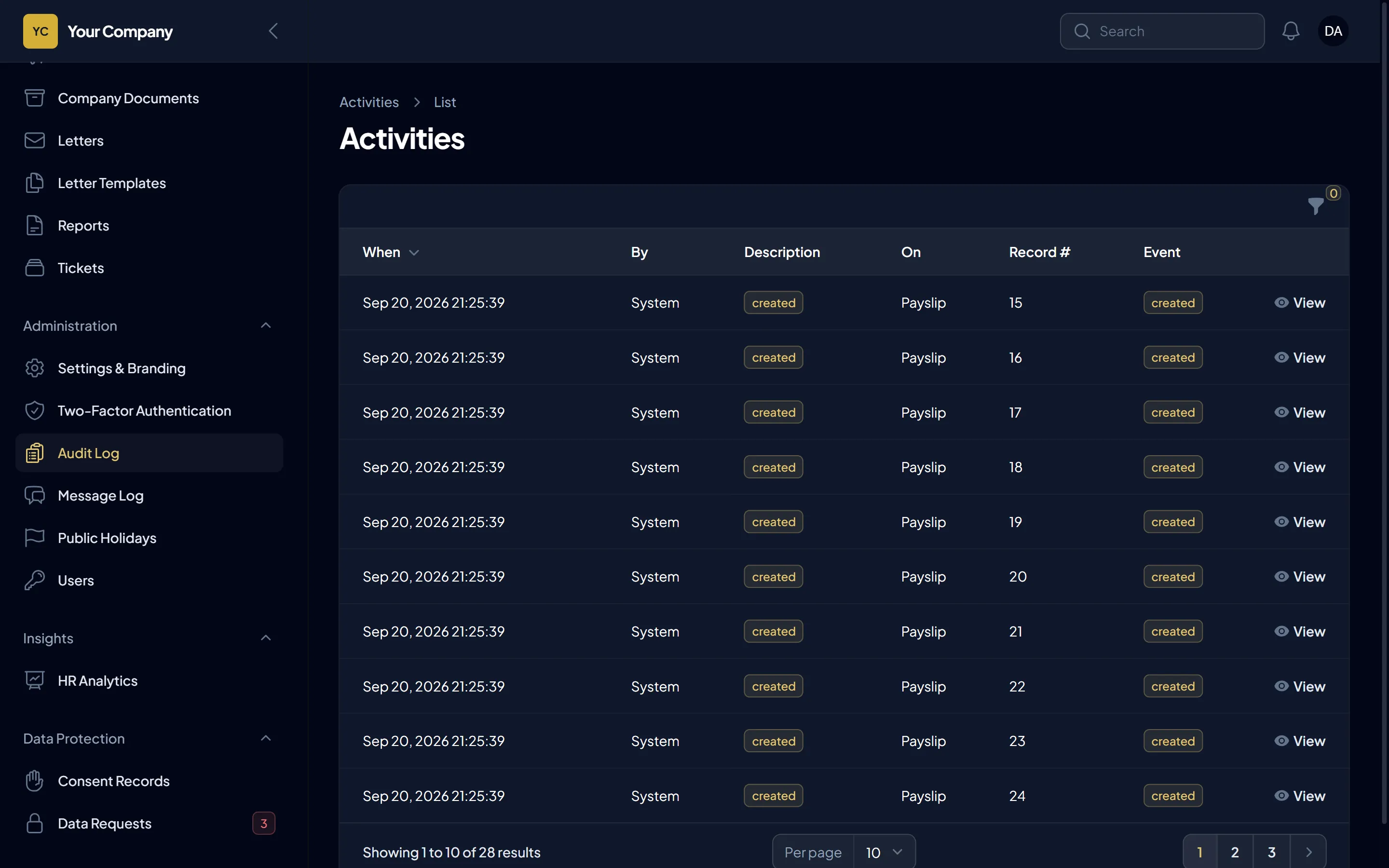
HR, managers, staff, your accountant, the office administrator, safety officers, ICT and drivers each see only what they should, and directors can look at everything without changing anything. HR and the books are kept apart, so no single role controls both payroll and the accounts. Changes to staff, leave, pay and accounting records are logged. Sign in with a second step or a passkey (fingerprint or face), and an unusual sign-in raises an alert.
Notifications in the app and on the phone, email, and SMS or WhatsApp through your own provider account, so approvals and reminders reach people quickly. An announcement pops up on everyone’s screen until they press Read, and HR sees how many have.
Your leave request was approved.
Your payslip for this month is ready to download.
You have 2 leave requests waiting for your decision.
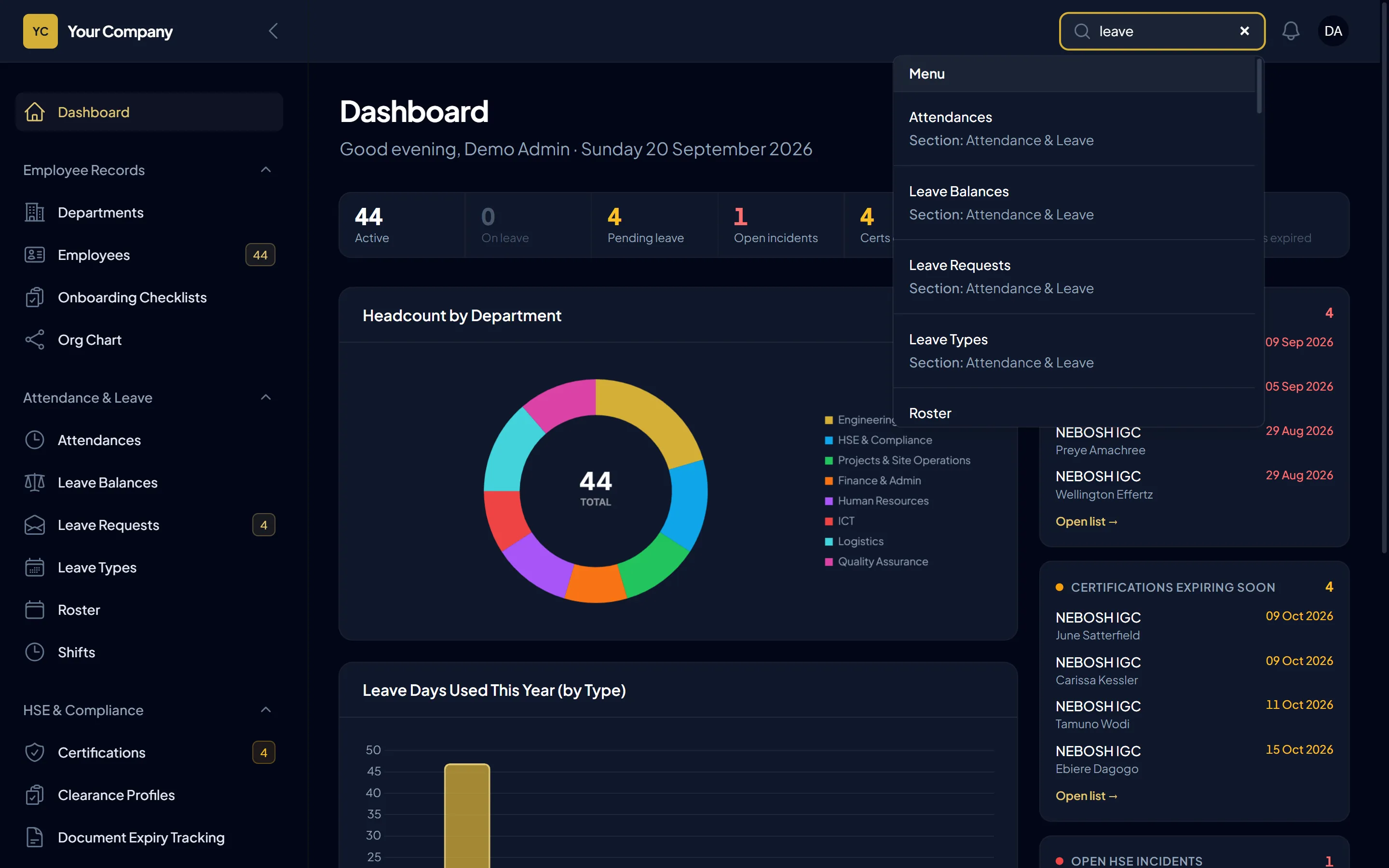
Press Ctrl K and find any person, page or record.
Statutory rates start from the current published figures and can be edited. Have your accountant confirm them before your first payroll run.
Self-hosted by design
Keelsum is installed on hosting that you own or control. Salaries, IDs, contracts and bank details stay inside your own infrastructure, and you decide who can reach them.
Nobody outside your company can open your records unless you allow it.
Keep data as long as the law requires, and delete it when you should.
The system is installed and runs on your hosting. It does not disappear if a vendor changes plan.
“Where is our staff data?” has one clear answer: on our server.
We install it on your server (a company server or a cloud server that you rent and control), connect your backups, and hand over the keys. Your IT team, or ours, keeps it running.
An honest note. Hosting on your own server puts you in charge, and also means backups, updates and server security are yours to arrange. We help you set these up, and offer ongoing support if you want it.
Typical cloud HR tool
Data leaves
Outside your control
Keelsum
Stays put
Everything stays in your control
Diagram: with a typical cloud HR tool, staff data leaves your company for the vendor's servers, outside your control, and the vendor keeps it on their own terms. With Keelsum, your team's data stays on your own server the whole time, and you decide when it is deleted.
Who it helps
HR
Managers
Staff
Directors and finance
How it works
A short call to understand your company, sites and payroll rules.
On a server you own or control, with backups set up.
Import your staff sheet; set up departments, sites, shifts and leave types.
HR, managers, staff and your accountant, each in a short session.
With help on hand for your first payroll run.
Ongoing maintenance, and features built for how your company works, added as you need them.
How it compares
| Spreadsheets & paper | Cloud HR tools | Keelsum | |
|---|---|---|---|
| Where your data lives | Laptops and cabinets | The vendor’s servers | Your own server |
| Site clock-in by location | No | Sometimes, at a higher plan | Included |
| Certificates and PPE tracking | Manual | Rarely | Included, with alerts |
| Payroll with tax, pension and deductions | By hand | Often extra or generic | Built in, editable |
| Approvals with cover when away | Phone calls | Usually | Included |
| Accounting linked to payroll | Separate software | Usually a separate product | Included |
| Recruitment to first day | Separate tools | Extra cost | Included |
| Data-protection requests | Unmanaged | Varies | Built in |
| Ongoing cost model | Staff time | Per person, per month | Talk to us |
A comparison of approaches, not of named products.
Questions
On your own server, or a cloud server that you rent and control. It is not stored on ours.
No. We install and set it up for you. Someone in your company (or ours, under a support plan) keeps the server updated and backed up.
Access is by role (HR, manager, staff, accountant, office administrator, safety, ICT, driver and a view-only role for directors), with HR kept out of the books. Sign-in can use a second step or a passkey, an unusual sign-in raises an alert, and changes to staff, leave, pay and accounting records are kept in an audit log. Because it runs on your server, you also control network access and backups.
Yes: income tax by band or a flat rate, pension and other statutory deductions, employer contributions, loans and unpaid leave. It comes ready for Nigeria’s PAYE, pension, NHF and NSITF, and works for other countries with their own rates. The rates are editable, and your accountant should confirm them before your first payroll run.
Yes. Customer invoices, supplier bills, journal entries, a general ledger, and Profit & Loss, Balance Sheet and Trial Balance on an accrual or cash basis. Payroll posts to the books automatically. Your accountant works in it with their own role, separate from HR.
It prepares the payslips and a payment schedule for your bank’s bulk upload. It does not move money itself.
Yes. Staff use it in their phone browser and can add it to their home screen like an app.
If you allow it, a phone can save a clock-in and send it once it is back online, for HR to confirm. Chat messages sent without a signal wait on the phone and arrive by themselves when it returns.
Yes. Upload your staff sheet and the system matches the columns for you.
Yes, through your own account with a messaging provider. In-app and email alerts work without one.
The system has tools for the work: staff can see and download their data, HR can answer requests within a deadline, consent is recorded, and leavers’ details can be erased while required records are kept. This fits the way laws such as the Nigeria Data Protection Act 2023 and the GDPR work. Your legal adviser should confirm what your company needs.
It depends on the size of your company and the support you want. Book a demo and we will give you a clear quote.
The best first step is a demo, where we walk through it with your own scenarios.
Book a demo
Book a 30-minute demo. We will show how Keelsum handles your sites, your leave rules and your payroll, and talk through hosting on your own server.