Step 1
Post
Create the vacancy with the number of positions.
Recruitment
Post the vacancy, move candidates through each stage, send the offer and contract, and when they accept, their employee record and onboarding are ready.
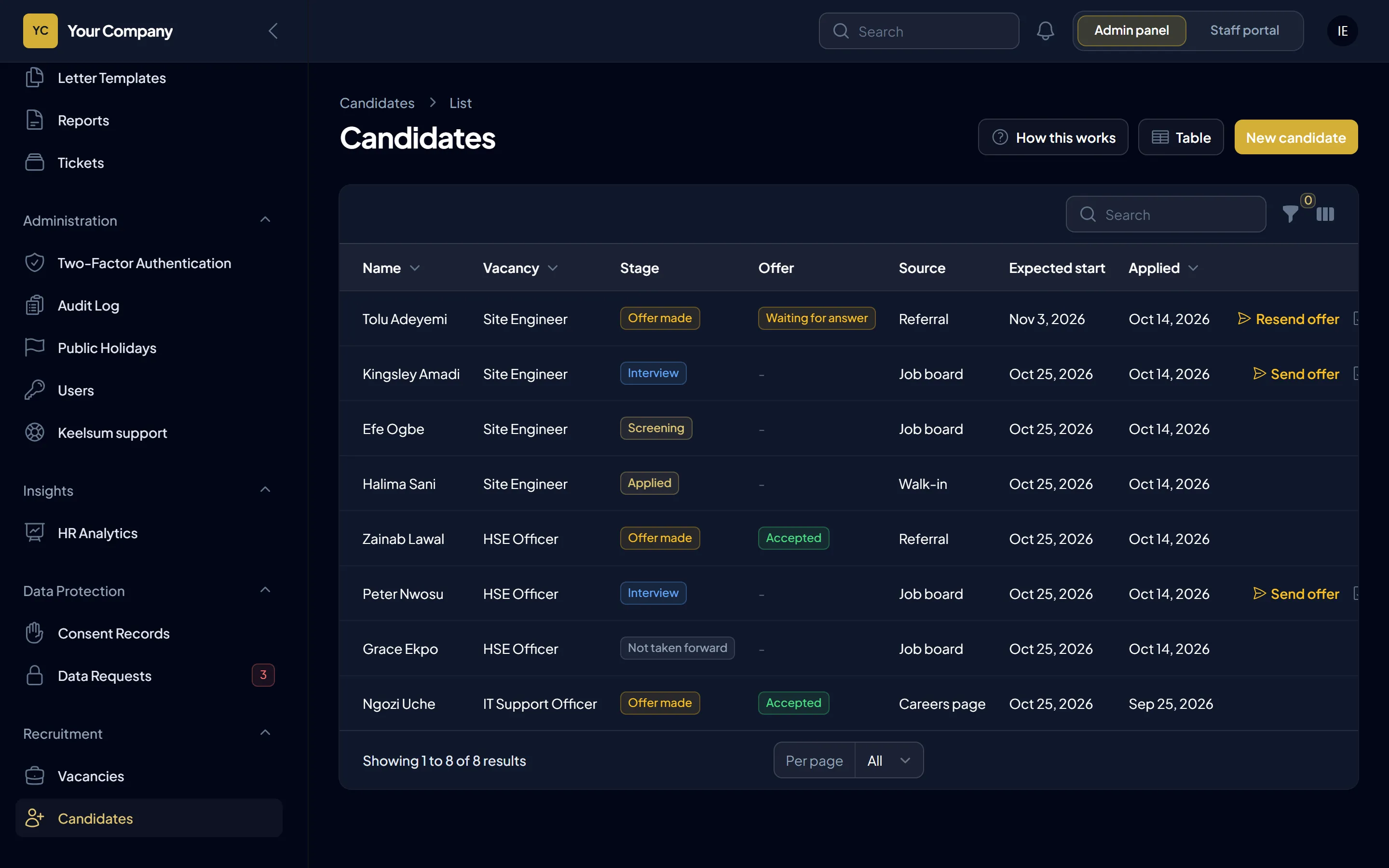
Applications sit in inboxes, nobody knows which stage a candidate is at, and the offer letter is retyped for every hire. Keelsum keeps every candidate for a vacancy in one list and turns an accepted offer straight into a new employee.
How it works
Step 1
Create the vacancy with the number of positions.
Step 2
Add candidates and move each one through screening, interview and offer.
Step 3
Send the offer with the contract attached; the candidate accepts or declines from a private link.
Step 4
Their employee record and onboarding checklist are created, and the vacancy closes when every position is filled.
Included
Questions
Yes. They receive a private link where they read the offer and contract and accept or decline.
No. Hiring a candidate creates their employee record and opens their onboarding checklist.
Yes. Set the number of positions; the vacancy closes when they are all filled.
A 30-minute walk-through using your sites, your leave rules and your payroll, and a straight answer on hosting it on your own server.